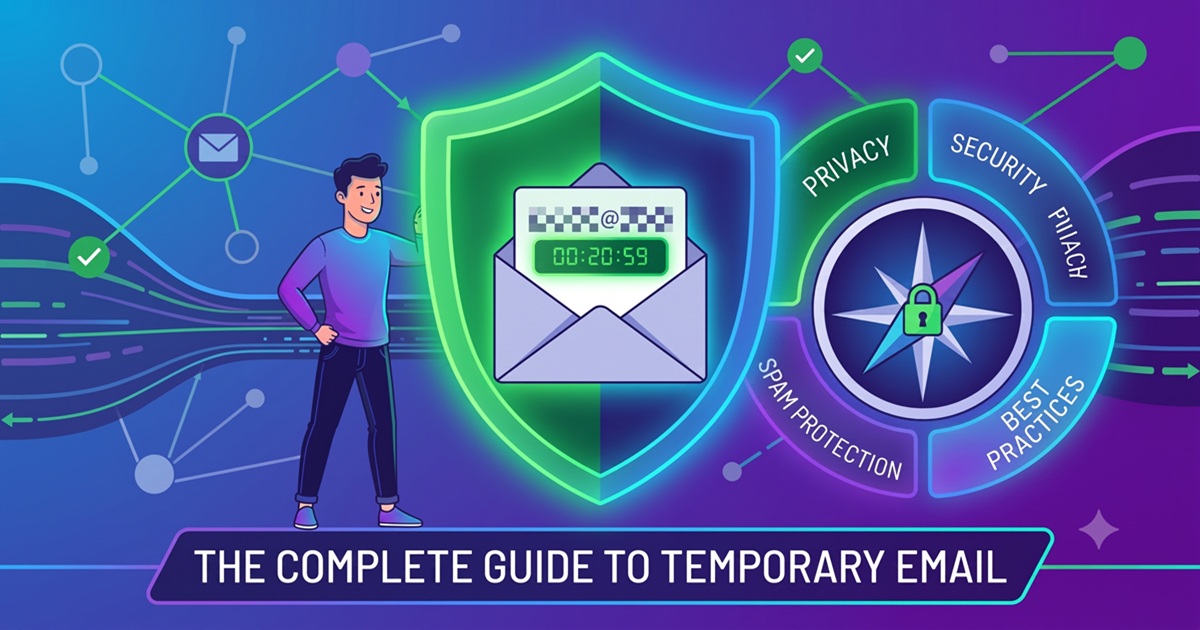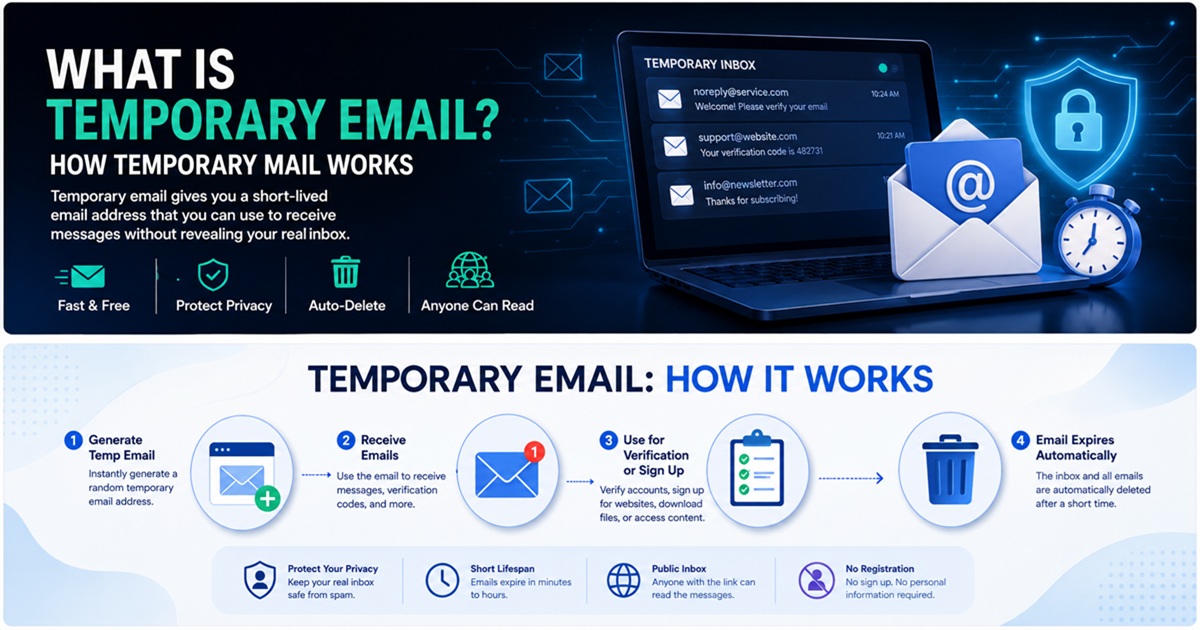
Dočasná e-mailová adresa je krátkodobá e-mailová adresa určená k přijímání zpráv, aniž byste museli odhalovat svou primární e-mailovou schránku.
Místo toho, abyste na každém webu, který navštívíte, zadávali svou osobní e-mailovou adresu z Gmailu, Outlooku nebo firemní e-mailovou adresu, můžete si vygenerovat dočasnou adresu, použít ji k registraci nebo ověření, přijmout požadovanou zprávu a přestat ji používat, jakmile ji již nebudete potřebovat.
Z hlediska kyberbezpečnosti není dočasná e-mailová adresa pouze praktickým nástrojem. Při správném použití může omezit množství spamu, zabránit zbytečnému odhalení vaší primární e-mailové adresy a snížit množství osobních údajů šířených v databázích třetích stran.
Dočasná e-mailová adresa však není vhodná pro každou situaci.
Tento průvodce vysvětluje, jak dočasná e-mailová adresa funguje, co se technicky děje, když obdržíte zprávu, v jakých oblastech zlepšuje ochranu soukromí, kde má bezpečnostní omezení a jak ji zodpovědně používat.
Co je dočasná e-mailová adresa?
Dočasná e-mailová adresa je e-mailový účet nebo schránka vytvořená pro krátkodobé použití.
Obvykle se označuje jako:
- Dočasný e-mail
- Dočasná pošta
- Jednorázový e-mail
- Jednorázová e-mailová adresa
- E-mail na jedno použití
- E-mail na odhození
- Jednorázový e-mail
Přesná terminologie se mezi jednotlivými službami liší, ale základní koncept je podobný.
Služba dočasných e-mailů vám poskytne adresu, například:
Tuto adresu pak můžete zadat na jiné webové stránce.
Pokud webová stránka odešle e-mail – například ověřovací odkaz, potvrzovací zprávu, odkaz ke stažení nebo registrační kód – poskytovatel dočasné e-mailové služby tuto zprávu přijme a zobrazí ji ve vaší dočasné doručené poště.
U mnoha služeb není vyžadováno žádné heslo ani registrace účtu.
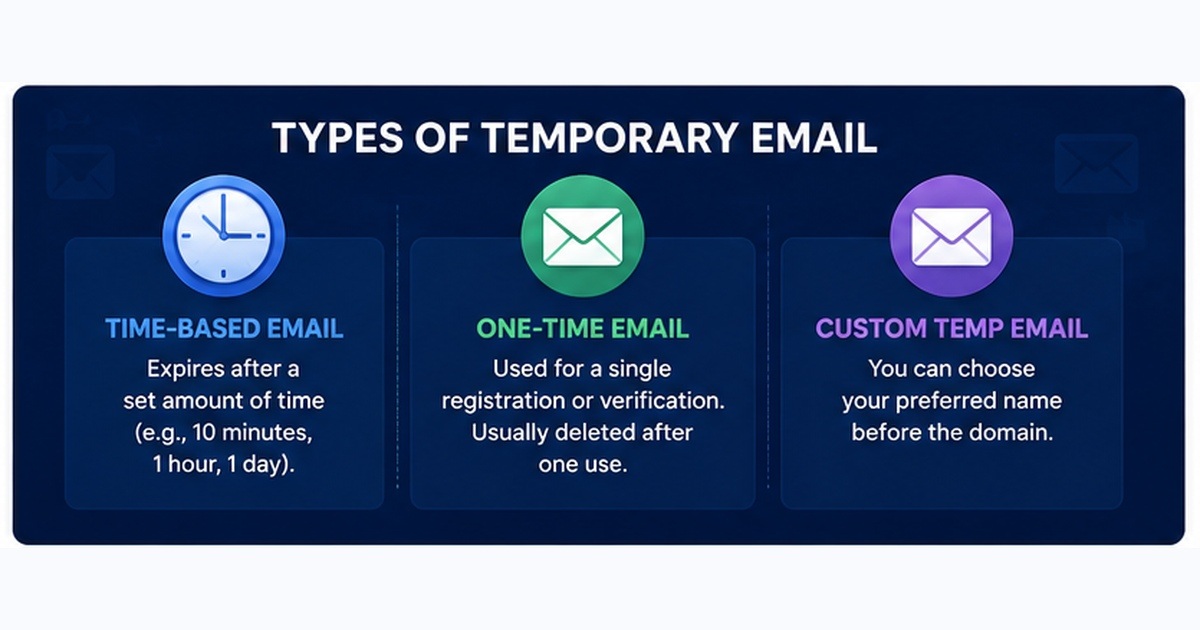
Adresa může zůstat aktivní několik minut, několik hodin, několik dní nebo do doby, než ji poskytovatel automaticky smaže.
Jak funguje dočasný e-mail?
Pro správné pochopení dočasné e-mailové adresy je užitečné podívat se na tento proces z pohledu síťové a e-mailové infrastruktury.
Typický postup vypadá takto:
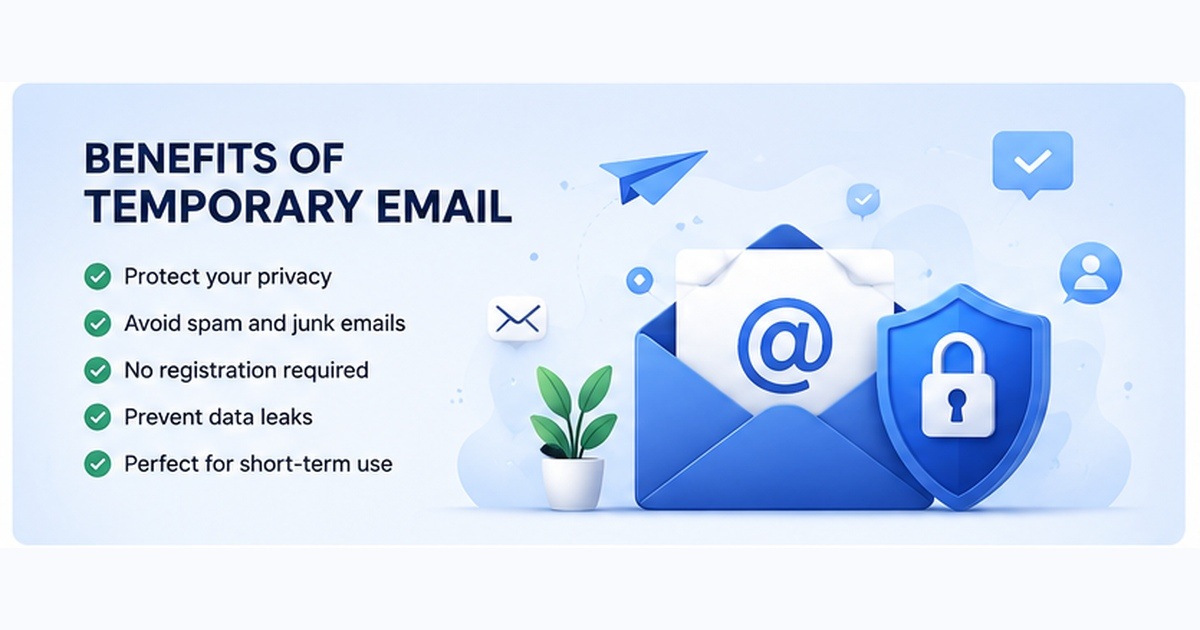
- Služba dočasné e-mailové adresy vám přidělí e-mailovou adresu.
- Tuto adresu zadáte na webové stránce.
- Poštovní server webové stránky odešle zprávu na dočasnou doménu.
- Systém DNS identifikuje poštovní server odpovědný za příjem zpráv pro danou doménu.
- Odesílatel se připojí k přijímajícímu poštovnímu serveru pomocí protokolu SMTP.
- Platforma pro dočasnou poštu přijme a zpracuje zprávu.
- Zpráva je přiřazena k vaší dočasné schránce.
- E-mail si prohlédnete prostřednictvím webového rozhraní poskytovatele.
- Zpráva a adresa jsou nakonec smazány v souladu se zásadami uchovávání dat poskytovatele.
Ačkoli se rozhraní může jevit jako velmi jednoduché, v pozadí funguje několik standardních internetových technologií.
Úloha systému DNS a záznamů MX
Doručování e-mailů do značné míry závisí na systému doménových jmen (DNS).
Když chce poštovní server odeslat zprávu na adresu:
musí zjistit, který server je zodpovědný za příjem e-mailů pro doménu example.com.
To provede tak, že si vyžádá záznamy MX dané domény.
Zkratka MX znamená Mail Exchange.
Záznam MX identifikuje poštovní server zodpovědný za přijímání e-mailů pro danou doménu.
Například poskytovatel dočasných e-mailových adres může nakonfigurovat záznamy DNS tak, aby jeho dočasná doména směřovala na jeho vlastní přijímací infrastrukturu.
Koncepčně:
Dočasná e-mailová adresa
 ↓
Poštovní server odesílatele
 ↓
Vyhledání MX v DNS
 ↓
Dočasný poštovní server
 ↓
Dočasná schránka
Jakmile je cílový server identifikován, odesílatel se obvykle pokusí doručit zprávu pomocí protokolu SMTP.
SMTP a dočasná pošta
SMTP je zkratka pro Simple Mail Transfer Protocol.
Jedná se o jeden z klíčových protokolů používaných k přenosu e-mailů přes internet.
Když webová stránka odešle ověřovací zprávu, její poštovní infrastruktura obvykle provede proces podobný tomuto:
Webová stránka
   ↓
Aplikační server
   ↓
Poskytovatel odchozí pošty
   ↓
SMTP
   ↓
Dočasný poštovní server
   ↓
Dočasná schránka
Přijímající dočasný poštovní server zpracuje adresu příjemce a určí, do které dočasné schránky by měla být zpráva doručena.
Poskytovatel může e-mail dočasně uložit do paměti, databáze, objektového úložiště nebo jiného backendového systému v závislosti na své architektuře.
Webová aplikace poté zprávu načte a zobrazí ji uživateli.
V čem se dočasný e-mail liší od Gmailu?
Služby dočasné a trvalé e-mailové adresy řeší odlišné problémy.
Účet Gmail nebo Outlook je navržen tak, aby sloužil jako dlouhodobá digitální identita.
Dočasná e-mailová adresa je určena pro krátkodobou komunikaci.
| Funkce | Dočasný e-mail | Gmail / Outlook |
|---|---|---|
| Dlouhodobá schránka | Obvykle ne | Ano |
| Registrace účtu | Často není nutná | Vyžadována |
| Ochrana heslem | Ne vždy | Ano |
| Obnova účtu | Obvykle není k dispozici | K dispozici |
| Dlouhodobé ukládání | Omezené | Ano |
| Osobní identita | Minimální | Často propojená |
| Vhodné pro důležité účty | Ne | Ano |
| Užitečné pro jednorázové registrace | Ano | Možné, ale odhaluje hlavní e-mail |
| Izolace spamu | Vynikající | Vyžaduje filtrování |
Toto rozlišení je důležité.
Dočasná e-mailová schránka by obecně měla doplňovat vaši primární schránku, nikoli ji nahrazovat.
Proč lidé používají dočasné e-mailové adresy?
Hlavní důvod je jednoduchý:
Uživatelé nechtějí sdělovat svou primární e-mailovou adresu každému webu, který navštíví.
Pokaždé, když zadáte svou skutečnou e-mailovou adresu, vytvoříte další kopii tohoto identifikátoru v systému někoho jiného.
Tato kopie může existovat v:
- Zákaznických databázích
- Marketingových platformách
- Systémech CRM
- Analytických nástrojích
- Službách pro automatizaci e-mailů
- Integracích třetích stran
- Zálohách
- Datových skladech
I když je samotný web legitimní, vaše adresa může být nakonec odhalena kvůli nedostatečným bezpečnostním postupům, narušení bezpečnosti u třetích stran, chybám zaměstnanců, nesprávně nakonfigurovaným databázím nebo únikům dat.
Dočasná e-mailová adresa omezuje zbytečné riziko odhalení.
1. Omezení spamu
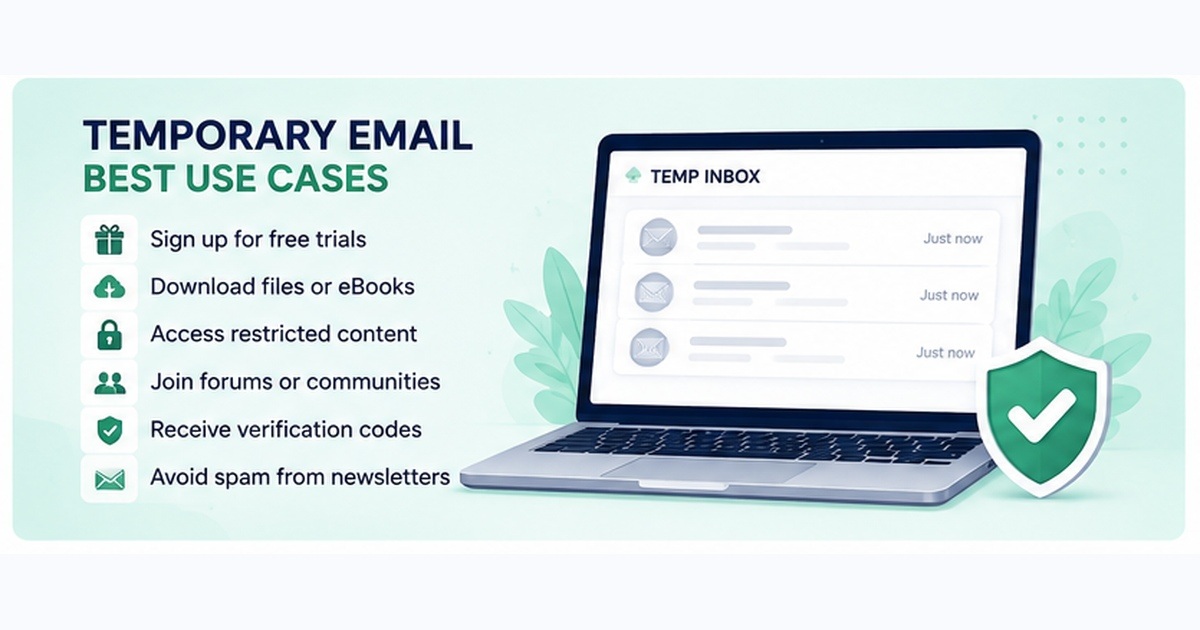
Jedním z nejčastějších využití dočasné e-mailové adresy je prevence nežádoucích marketingových zpráv.
Některé webové stránky vyžadují e-mailovou adresu, než vám umožní:
- Stáhnout dokument
- Získat přístup k bezplatným zdrojům
- Číst obsah s omezeným přístupem
- Připojit se k fóru
- Využít slevový kupón
- Zahájit bezplatnou zkušební verzi
- Stáhnout software
Jakmile se vaše primární e-mailová adresa dostane do marketingové databáze, může na ni po celé měsíce či roky chodit spamy.
Dočasná adresa izoluje tuto interakci od vaší skutečné e-mailové schránky.
2. Ochrana vaší primární e-mailové adresy
Vaše primární e-mailová adresa je často citlivější, než si lidé uvědomují.
U mnoha uživatelů je e-mailová adresa propojena s:
- Bankovními službami
- Úložištěm v cloudu
- Sociálními sítěmi
- Online nakupováním
- Obnovením hesel
- Pracovními účty
- Mobilními aplikacemi
- Státními službami
Útočníci mohou známou e-mailovou adresu využít jako výchozí bod pro phishingové kampaně, útoky typu credential stuffing, útoky zaměřené na resetování hesel nebo sociální inženýrství.
Tím, že svou primární adresu necháte mimo dosah zbytečných webových stránek, snížíte její zranitelnost.
Jedná se o příklad snížení plochy útoku.
Neznamená to, že svůj e-mailový účet učiníte nezranitelným. Jednoduše snižujete počet systémů, které vědí o existenci této adresy.
3. Testování webových stránek a aplikací
Dočasná e-mailová adresa může být užitečná také pro vývojáře, inženýry kontroly kvality, bezpečnostní testery a správce systémů.
Inženýr kontroly kvality může například potřebovat otestovat:
- Registrace uživatelů
- Ověřovací odkazy
- Uvítací e-maily
- Obnovení hesla
- Systémy oznámení
- Šablony transakčních e-mailů
Vytváření desítek trvalých e-mailových účtů pro testování je neefektivní.
Dočasné adresy umožňují rychle generovat více testovacích identit.
To je obzvláště užitečné ve stagingových a vývojových prostředích.
4. Registrace do služeb s nízkou důležitostí
Ne každý online účet vyžaduje trvalou identitu.
Mezi příklady patří:
- Dočasná fóra
- Veřejné Wi-Fi portály
- Jednorázová stažení
- Ukázky produktů
- Krátkodobé zkušební služby
- Komunitní weby
Pokud by ztráta přístupu k účtu nevadila, může být použití dočasné adresy rozumné.
5. Oddělení online identit
Uživatelé dbající na ochranu soukromí se často vyhýbají používání stejného identifikátoru všude.
Pokud se stejná e-mailová adresa používá na desítkách webových stránek, lze tyto účty potenciálně propojit.
To je obzvláště důležité v případě, že služby sdílejí informace s analytickými sítěmi, reklamními platformami nebo zprostředkovateli dat.
Dočasné e-mailové adresy mohou omezit tento typ přímého opakovaného použití identifikátorů.
Neznamená to však, že díky nim budete anonymní.
Stále mohou existovat další identifikátory, například:
- IP adresa
- Soubory cookie prohlížeče
- Identifikátory zařízení
- Otisk prohlížeče
- Informace o uživatelském agentovi
- Vzory přihlašování
Dočasný e-mail by proto měl být považován za nástroj na ochranu soukromí, nikoli za systém zajišťující anonymitu.
Je dočasný e-mail anonymní?
Ne nutně.
Toto je jeden z nejvýznamnějších omylů týkajících se jednorázových e-mailů.
Použití dočasné adresy skryje vaši primární e-mailovou adresu před webem, kterému ji poskytnete.
Neznamená to však automatické skrytí vaší síťové identity.
V závislosti na službě a vašem připojení mohou být informace stále dostupné poskytovatelům služeb, včetně:
IP adresa
Informace o prohlížeči
Časová razítka požadavků
Soubory cookie
Charakteristiky zařízení
Metadata sítě
Podobné informace mohou shromažďovat také webové stránky, které navštěvujete.
Pokud je vaším cílem ochrana soukromí, dočasná e-mailová adresa může být užitečná.
Pokud je vaším cílem vysoká míra anonymity, dočasná e-mailová adresa sama o sobě nestačí.
Je dočasná e-mailová adresa bezpečná?
Dočasná e-mailová adresa může být bezpečná pro použití s nízkým rizikem, nikdy by se však neměla považovat za bezpečnou trvalou e-mailovou schránku.
Nejdůležitějším problémem je přístup k doručené poště.
Některé systémy dočasné e-mailové schránky umožňují komukoli, kdo zná nebo uhodne adresu doručené pošty, přístup k jejím zprávám.
Jiné generují silnější náhodné adresy nebo soukromé identifikátory relace.
Úroveň zabezpečení se mezi poskytovateli výrazně liší.
Měli byste vycházet z toho, že jednorázová schránka je méně bezpečná než správně nakonfigurovaná osobní schránka, pokud poskytovatel výslovně nezajišťuje ochranu soukromí schránky.
Nikdy nepoužívejte dočasný e-mail pro citlivé účty
Vyhněte se používání dočasného e-mailu u služeb, u nichž záleží na obnovení účtu, důvěrnosti nebo dlouhodobém vlastnictví.
Mezi příklady patří:
- Internetové bankovnictví
- Burzy kryptoměn
- Státní služby
- Portály zdravotní péče
- Správci hesel
- Cloudové úložiště
- Firemní účty
- Hlavní účty na sociálních sítích
- Registrátoři domén
- Poskytovatelé hostingu
Pokud dočasná adresa zmizí, můžete přijít o možnost resetovat heslo nebo obnovit účet.
To může z drobného usnadnění proměnit vážný bezpečnostní problém.
Dočasná e-mailová schránka a ověření e-mailu
Běžným případem použití dočasné e-mailové schránky je přijímání ověřovacích zpráv.
Například webová stránka může před aktivací účtu vyžadovat ověření vlastnictví e-mailové adresy.
Postup je obvykle následující:
Vygenerujte dočasnou e-mailovou adresu
 ↓
Zadejte adresu na webové stránce
 ↓
Webová stránka odešle ověřovací e-mail
 ↓
Otevřete dočasnou schránku
 ↓
Klikněte na ověřovací odkaz
 ↓
Registrace dokončena
Některé webové stránky blokují domény s jednorázovými e-mailovými adresami.
K tomu obvykle dochází, protože dočasné adresy jsou často spojovány s:
- Vytvářením falešných účtů
- Zneužíváním zkušebních verzí
- Automatizovanými registracemi
- Spamem
- Problémy s prevencí podvodů
Webová stránka si může sama rozhodnout, zda povolí domény pro jednorázové e-maily.
Proč dočasné e-mailové adresy vyprší?
Vypršení platnosti je jednou z hlavních charakteristik jednorázových e-mailů.
Poskytovatelé mazají adresy a zprávy z několika důvodů.
Efektivita úložiště
Miliony dočasných zpráv mohou zabírat značné úložné prostory.
Automatické mazání zabraňuje zbytečnému hromadění dat.
Ochrana soukromí
Krátká doba uchovávání snižuje množství historických informací uložených poskytovatelem.
Návrh služby
Dočasná pošta je určena spíše pro krátkodobou komunikaci než pro trvalé archivování.
Prevence zneužití
Automatické mazání opuštěných schránek omezuje některé druhy zneužití a zátěž infrastruktury.
Přesná doba platnosti závisí na poskytovateli.
Vždy počítejte s tím, že dočasná schránka může zmizet dříve, než očekáváte.
Lze odpovídat z dočasné e-mailové adresy?
Někteří poskytovatelé podporují odesílání zpráv, ale mnoho systémů dočasné pošty je určeno pouze pro příjem.
Existuje pro to několik důvodů.
Povolení odesílání e-mailů zvyšuje riziko:
- spamu
- phishingu
- šíření malwaru
- automatizovaného zneužití
- poškození reputace domény
Provozování spolehlivé infrastruktury pro odesílání e-mailů také vyžaduje další kontrolní mechanismy, jako je omezení frekvence odesílání, správa reputace, monitorování zneužití a ověřování.
Z těchto důvodů je běžná dočasná e-mailová služba určená pouze k příjmu.
Dočasná e-mailová adresa vs. e-mailový alias
Dočasnou e-mailovou adresu nelze zaměňovat s e-mailovým aliasem.
Alias přesměrovává zprávy do jiné e-mailové schránky.
Například:
[email protected]
 ↓
Poskytovatel aliasu
 ↓
[email protected]
Alias může skrýt vaši skutečnou adresu před webovou stránkou, přičemž vám stále umožní přijímat zprávy do vaší trvalé schránky.
Dočasná e-mailová adresa funguje jinak:
[email protected]
 ↓
Dočasná schránka
 ↓
Zpráva vyprší
Aliasy jsou obecně vhodnější, pokud chcete mít dlouhodobý přístup a zároveň skrýt svou hlavní adresu.
Dočasný e-mail je vhodnější, pokud adresu později nebudete potřebovat.
Dočasný e-mail vs. jednorázový e-mail
Tyto pojmy se často používají zaměnitelně.
E-mail typu „burner“ však může někdy označovat adresu vytvořenou pro konkrétní účel a později zlikvidovanou, i když se technicky jedná o běžný e-mailový účet.
Dočasný e-mail obvykle označuje službu, kde se adresy a schránky generují automaticky a nakonec se mažou.
V praktické terminologii vyhledávání:
- Dočasný e-mail = e-mail s krátkou životností
- Jednorázový e-mail = e-mail určený k vyřazení
- E-mail typu „burner“ = sekundární identita určená k omezenému použití
- E-mail na jedno použití = neformální termín pro jednorázový e-mail
Pro většinu běžných uživatelů popisují tyto pojmy velmi podobné koncepty.
Výhody dočasného e-mailu
Dočasný e-mail nabízí několik praktických výhod z hlediska ochrany soukromí.
Méně spamu
Marketingové e-maily zůstávají oddělené od vaší skutečné doručené pošty.
Menší vystavení
Vaše primární e-mailová adresa se objevuje v menším počtu databází třetích stran.
Rychlá registrace
Mnoho služeb vám umožňuje okamžitě vytvořit schránku, aniž byste museli zakládat účet.
Žádné úklidové práce
Schránka se nakonec automaticky vymaže.
Užitečné pro testování
Vývojáři mohou generovat více adres pro testování registračních a oznamovacích procesů.
Lepší oddělení aktivit
Pro různé online aktivity lze používat různé e-mailové identity.
Omezení dočasných e-mailů
Dočasné e-maily mají také významné nevýhody.
Žádné spolehlivé obnovení účtu
Pokud dojde k vypršení platnosti schránky, e-maily pro resetování hesla mohou být nedostupné.
Omezená bezpečnost
Některé dočasné schránky nemusí disponovat silným ověřováním.
Blokování domén
Webové stránky mohou odmítat známé domény jednorázových e-mailů.
Krátká doba uchovávání zpráv
Důležité e-maily mohou zmizet.
Omezená funkčnost
Mnoho služeb nemůže odesílat zprávy ani nepodporuje pokročilé funkce schránky.
Nepravá anonymita
Vaše IP adresa a další metadata mohou být stále viditelné.
Kdy byste měli používat dočasný e-mail?
Dočasný e-mail funguje nejlépe, když je hodnota účtu nízká a potřebujete přijmout pouze jednu nebo několik zpráv.
Mezi vhodné případy použití patří:
- Stažení bezplatného zdroje
- Testování registračního formuláře
- Přijetí ověřovacího e-mailu, který neobsahuje citlivé údaje
- Připojení se k dočasnému diskusnímu fóru
- Vyzkoušení webové služby s nízkým rizikem
- Oddělení registračních e-mailů souvisejících s reklamou
- Testování systémů pro zasílání transakčních e-mailů
Kdy byste se měli dočasné e-mailové adrese vyhnout?
Použijte trvalý, zabezpečený e-mailový účet, pokud byste jej mohli v budoucnu znovu potřebovat.
Vyhněte se dočasným e-mailovým adresám v následujících případech:
- Finanční účty
- Důležité předplatné
- Pracovní platformy
- Osobní cloudové služby
- Doménová jména
- Hostingové účty
- Placené softwarové licence
- Účty obsahující osobní dokumenty
- Služby vyžadující dlouhodobé obnovení
Užitečné pravidlo zní:
Pokud by ztráta e-mailové adresy mohla vést ke ztrátě peněz, dat nebo přístupu k důležitému účtu, nepoužívejte dočasnou e-mailovou adresu.
Jak bezpečně používat dočasnou e-mailovou adresu
Dodržujte tyto základní bezpečnostní zásady.
1. Nikdy neposílejte citlivé informace do dočasné schránky
Vyhněte se přijímání:
- Hesel
- Finančních informací
- Dokladů totožnosti
- Klíčů API
- Soukromých obchodních informací
2. Počítejte s tím, že schránka může zmizet
Všechno důležité si okamžitě uložte.
3. Nepoužívejte hesla opakovaně
Dočasná e-mailová schránka vás nechrání před útoky založenými na opakovaném použití přihlašovacích údajů.
Pro každou důležitou službu používejte jedinečná hesla.
4. Seznamte se se zásadami ochrany osobních údajů poskytovatele
Různé služby dočasné e-mailové schránky mají odlišné postupy pro zaznamenávání a uchovávání dat.
5. Používejte dočasnou e-mailovou schránku pouze tam, kde je to vhodné
Nástroje na ochranu soukromí jsou nejúčinnější, jsou-li používány v souladu s jejich modelem hrozeb.
Dočasná e-mailová adresa chrání vaši skutečnou e-mailovou adresu před zbytečným odhalením.
Nenahrazuje šifrování, silná hesla, vícefaktorové ověřování, VPN ani jiné bezpečnostní opatření.
Zabraňuje dočasná e-mailová adresa phishingu?
Může snížit riziko vystavení některým phishingovým kampaním, ale phishing zcela nevyloučí.
Pokud útočníci neznají vaši primární e-mailovou adresu, nemohou snadno posílat phishingové zprávy přímo na tuto adresu.
K phishingu však může stále docházet prostřednictvím:
- Dočasných schránek
- SMS
- Sociálních médií
- Aplikací pro zasílání zpráv
- Falešných webových stránek
- Škodlivých reklam
Dočasný e-mail by proto měl být považován za jednu z vrstev ochrany soukromí.
Kyberbezpečnost funguje nejlépe prostřednictvím hloubkové obrany, kdy spolupracuje více ochranných opatření.
Často kladené otázky
Je dočasný e-mail zdarma?
Mnoho služeb dočasného e-mailu je zdarma, ačkoli někteří poskytovatelé nabízejí placené funkce, jako jsou soukromé domény, delší uchovávání, přístup k API nebo další funkce schránky.
Potřebuji k dočasnému e-mailu heslo?
Ne vždy. Mnoho služeb automaticky vygeneruje schránku bez nutnosti registrace.
Jak dlouho dočasný e-mail funguje?
Záleží na poskytovateli. Některé adresy fungují jen několik minut, zatímco jiné mohou zůstat dostupné několik hodin či dní.
Mohu na dočasný e-mail dostávat ověřovací kódy?
V mnoha případech ano. Některé webové stránky však blokují domény jednorázových e-mailů.
Mohu obnovit dočasnou schránku, jejíž platnost vypršela?
Obvykle ne. Měli byste počítat s tím, že smazané dočasné schránky jsou trvale nedostupné.
Je dočasný e-mail nelegální?
Dočasný e-mail je sám o sobě legitimní technologií zajišťující soukromí a pohodlí. Stejně jako u jakékoli internetové služby jsou uživatelé odpovědní za dodržování platných zákonů a podmínek používání webových stránek, na které přistupují.
Může dočasný e-mail nahradit Gmail?
Ne. Dočasný e-mail je určen pro krátkodobou komunikaci. Gmail, Outlook a podobné služby jsou vhodnější pro dlouhodobé účty, obnovení hesla, osobní komunikaci a služby vyžadující zvýšenou bezpečnost.
Mohou webové stránky rozpoznat dočasné e-mailové adresy?
Ano. Některé organizace vedou databáze známých domén jednorázových e-mailů. Webové stránky mohou tyto databáze využívat k přijímání, označování nebo odmítání registrací pomocí dočasných e-mailů.
Závěrečné úvahy
Dočasný e-mail je jednoduchý, ale užitečný nástroj na ochranu soukromí.
Jeho hlavní bezpečnostní výhodou je minimalizace dat: místo toho, abyste svou stálou e-mailovou adresu sdělovali každému webu, poskytnete krátkodobý identifikátor, který lze po splnění účelu vyřadit.
To omezuje spam a snižuje zbytečné vystavování vaší hlavní e-mailové schránky riziku.
Dočasnou e-mailovou adresu však nelze zaměňovat s bezpečnou trvalou e-mailovou schránkou ani se systémem zajišťujícím anonymitu.
Používejte jej pro interakce s nízkým rizikem a krátkodobého charakteru.
Pro bankovnictví, firemní účty, cloudové služby, obnovení hesla nebo jakýkoli účet, o který si nemůžete dovolit přijít, používejte trvalý e-mailový účet chráněný jedinečným heslem a vícefaktorovým ověřováním.
Při použití v rámci správného modelu hrozeb je dočasný e-mail účinným způsobem, jak udržet vaši primární schránku čistší a snížit množství osobních údajů, které na internetu zveřejňujete.