Your email address is one of the most persistent identifiers you use online.

Unlike an IP address, which may change, or a browser session, which can expire, your primary email address often remains the same for years. It may be connected to your banking accounts, cloud storage, social media profiles, online purchases, password resets, and business services.

description

Every time you enter that address into a website, you are extending your digital footprint.

The website may store it directly, synchronize it with a customer relationship management platform, send it to an email marketing provider, include it in analytics systems, or expose it through a future data breach.

A temporary email address provides a simple way to reduce that exposure.

Instead of giving every website your permanent inbox, you can use a short-lived disposable address for low-risk registrations, verification emails, downloads, testing, and other temporary activities.

From a cybersecurity perspective, temporary email is useful because it supports three important principles:

  • data minimization
  • compartmentalization
  • attack surface reduction

This guide explains 10 practical reasons to use a temporary email address, how it improves online privacy, and when you should avoid using one.

What Is a Temporary Email Address?

A temporary email address is an email inbox designed for short-term use.

It may remain active for:

  • a few minutes
  • several hours
  • several days
  • until the user manually deletes it

Depending on the provider, a temporary inbox may be created automatically without requiring:

  • an account
  • a password
  • a phone number
  • personal information

Temporary email is also commonly known as:

  • temp mail
  • disposable email
  • burner email
  • throwaway email
  • temporary inbox

The purpose is not to replace your normal email account.

Instead, temporary email gives you an additional layer between your permanent digital identity and websites that do not need long-term access to your contact information.

Why Does Your Email Address Matter for Online Privacy?

An email address may appear harmless, but it is extremely useful as an identifier.

Companies frequently use email addresses to connect user activity across:

  • websites
  • devices
  • applications
  • marketing platforms
  • customer databases
  • advertising systems

A permanent email address can also appear in leaked databases after a security incident.

Attackers may then combine the address with other information such as:

Email address
+
Password hashes
+
Phone numbers
+
Usernames
+
Purchase history
+
IP logs

The more often you use the same address, the more opportunities exist for that information to be collected or exposed.

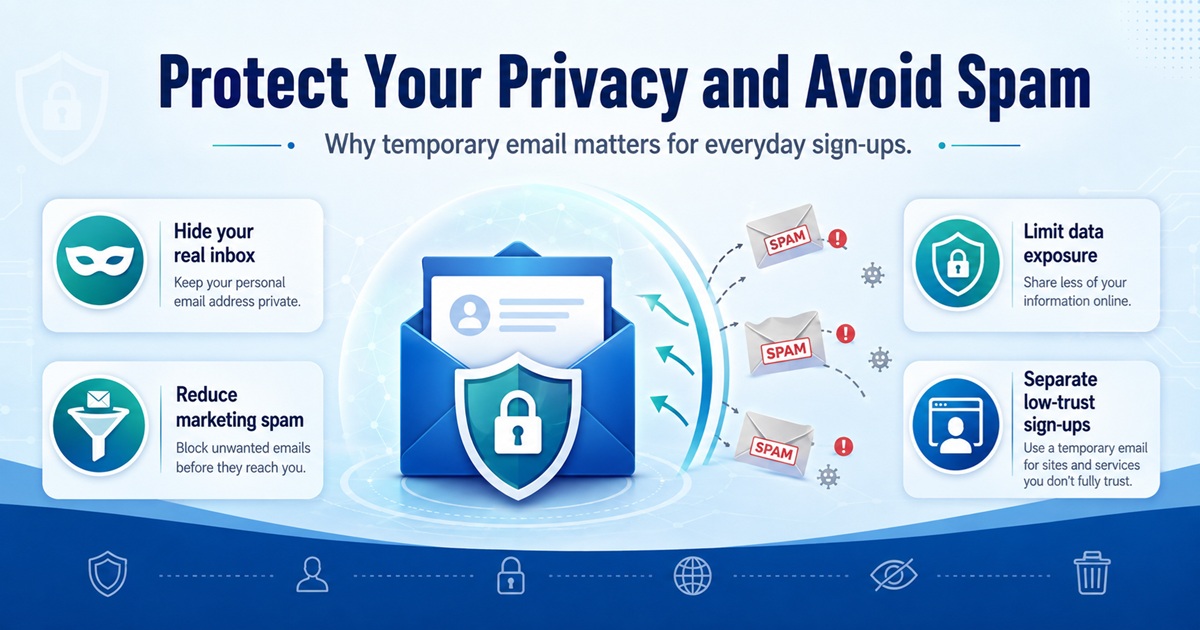
Temporary email limits this exposure by creating disposable identities for interactions that do not require your permanent inbox.

description

1. Reduce Spam in Your Primary Inbox

Spam is one of the most common reasons people use temporary email.

Many websites require an email address before allowing visitors to:

  • download a file
  • access a coupon
  • read gated content
  • join a newsletter
  • start a free trial
  • create a basic account

After the registration is complete, the website may continue sending marketing messages.

These messages may include:

  • promotions
  • product updates
  • abandoned-cart reminders
  • newsletters
  • partner offers
  • automated sales sequences

Using a temporary email keeps these messages away from your primary inbox.

Once you no longer need the temporary address, you simply stop using it.

Instead of constantly unsubscribing from newsletters, you prevent the unwanted communication from reaching your permanent account in the first place.

2. Protect Your Real Email Address

Your primary email address should be treated as valuable identity information.

For many users, it is connected to critical services including:

  • financial platforms
  • social networks
  • password recovery
  • cloud storage
  • online shopping
  • workplace systems

Attackers often begin targeted attacks with one piece of information: an email address.

Once they know it, they can attempt:

  • phishing
  • credential stuffing
  • password reset abuse
  • social engineering
  • account enumeration

A temporary email address prevents unnecessary websites from learning your permanent address.

This is a simple form of attack surface reduction.

You cannot eliminate every security risk, but you can reduce the number of systems that contain information about you.

3. Reduce Your Exposure in Data Breaches

Even legitimate websites can suffer data breaches.

When a company is compromised, attackers may obtain databases containing:

  • names
  • email addresses
  • usernames
  • password hashes
  • IP addresses
  • account metadata

If you registered using your primary email address, that identifier may become part of a leaked dataset.

A temporary email limits the impact.

If a disposable address appears in a future breach, the leaked identifier may already be inactive.

Your real inbox remains separated from that event.

This does not eliminate every risk associated with a data breach, but it reduces the value of the exposed data.

This concept is closely related to data minimization.

The less permanent information you provide, the less permanent information can be leaked.

4. Avoid Marketing Tracking

Email addresses are frequently used for marketing attribution and identity matching.

A company may send your address to:

  • CRM platforms
  • advertising systems
  • analytics platforms
  • newsletter providers
  • customer data platforms

For example, a typical data flow might look like:

Website registration
        ↓
Customer database
        ↓
CRM
        ↓
Email marketing platform
        ↓
Advertising or analytics platform

That means submitting one email address may result in several systems storing it.

Temporary email reduces this persistent identifier reuse.

Instead of giving every service the same permanent address, you create a short-lived identifier for a specific interaction.

This makes your online activity harder to connect through email alone.

5. Register for Low-Risk Websites

Not every account deserves your permanent email address.

Consider a website that you plan to use once.

You may only want to:

  • download a document
  • read a forum post
  • participate in a short survey
  • access a temporary service
  • test a web application

If losing access to the account would have no meaningful consequence, using your primary email may be unnecessary.

A temporary email address is ideal for these low-risk situations.

The security principle is simple:

Do not provide permanent information when temporary information is sufficient.

6. Receive One-Time Verification Emails

Many websites require email verification before allowing access.

The workflow usually looks like this:

Create an email address
        ↓
Enter it during registration
        ↓
Website sends verification email
        ↓
Open temporary inbox
        ↓
Click verification link
        ↓
Registration completed

If you only need the account for a short period, a temporary inbox can be convenient.

Typical examples include:

  • website registrations
  • software demos
  • forums
  • one-time downloads
  • development testing

However, some platforms block known disposable email domains.

This is usually done to reduce:

  • automated registrations
  • free-trial abuse
  • spam accounts
  • fraudulent activity

Temporary email should always be used in accordance with the website's rules and terms of service.

7. Keep Free Trials and Promotions Separate

Free trials frequently generate large amounts of follow-up email.

After testing one service, you may receive messages such as:

  • “Your trial is ending”
  • “Upgrade today”
  • “Come back and save 20%”
  • “New features available”
  • “Complete your account setup”

If you evaluate multiple services, these emails accumulate quickly.

Temporary email is useful for short-term evaluations where you do not intend to maintain a long-term relationship with the service.

For example, a developer comparing several SaaS products may want to inspect:

  • dashboards
  • integrations
  • APIs
  • UI workflows
  • feature availability

Using separate disposable inboxes keeps the evaluation process isolated from a primary work account.

8. Improve Email Security Through Compartmentalization

Compartmentalization is an important security principle.

Instead of using one identity for every activity, you divide different activities into separate environments.

For example:

Primary Email
    ├── Banking
    ├── Business
    └── Critical accounts

Secondary Email
    ├── Shopping
    └── Subscriptions

Temporary Email
    ├── Downloads
    ├── Trials
    ├── Testing
    └── Low-trust registrations

This structure limits cross-contamination.

If one category becomes compromised or flooded with spam, the others remain unaffected.

Security professionals use similar segmentation concepts across networks.

In network architecture, segmentation separates systems based on trust levels.

Temporary email applies a similar idea to digital identity.

Not every website should belong to the same trust zone as your banking or business accounts.

9. Make Website and Application Testing Easier

Temporary email is extremely useful for developers, QA engineers, DevOps teams, and security testers.

Modern applications often include email-based workflows such as:

  • registration
  • account verification
  • password resets
  • onboarding
  • login alerts
  • notifications
  • transactional messages

Testing these workflows requires multiple email addresses.

For example, a QA engineer may need to test:

User #1 → Registration
User #2 → Password reset
User #3 → Verification
User #4 → Notification
User #5 → Failed delivery scenario

Creating permanent email accounts for each test is inefficient.

Temporary inboxes provide disposable test identities that can be created quickly.

This makes them useful for:

  • staging environments
  • automated tests
  • QA workflows
  • transactional email testing
  • registration testing

Developers should still avoid exposing sensitive production information to public temporary inboxes.

10. Reduce Your Long-Term Digital Footprint

Every permanent account contributes to your digital footprint.

Over several years, an email address may be stored across hundreds of services.

Some of those services may eventually:

  • shut down
  • change ownership
  • suffer breaches
  • sell customer databases
  • migrate to third-party platforms

You may not even remember creating many of those accounts.

Temporary email reduces this accumulation.

When the address expires, the identifier becomes significantly less useful.

This does not erase every record of the interaction, but it reduces the persistence of one of the most important identifiers connected to your online activity.

For privacy-conscious users, this is a major advantage.

description

Temporary Email and Attack Surface Reduction

Attack surface refers to the collection of points where an attacker might interact with or target a system.

The concept can also apply to personal identity.

Imagine using your permanent email address on 150 different websites.

Every database represents another location where your address exists.

Conceptually:

1 primary email
        ↓
150 websites
        ↓
150 databases
        ↓
Multiple third-party integrations
        ↓
More potential exposure

If you use temporary addresses for non-essential services, the structure changes.

Primary email
        ↓
Only trusted services

Temporary addresses
        ↓
Low-value services
        ↓
Eventually expire

This architecture does not make your identity invisible.

But it reduces unnecessary persistence.

Temporary Email Does Not Make You Anonymous

One important misconception must be addressed.

Temporary email improves privacy, but it does not automatically provide anonymity.

A website may still observe:

  • your IP address
  • browser cookies
  • device characteristics
  • browser fingerprint
  • user agent
  • request timestamps
  • behavioral data

Your internet service provider may also have visibility into network-level connection information.

Temporary email only hides one identifier:

your permanent email address.

For stronger privacy, temporary email must be combined with appropriate browser security, tracking protection, and network-level privacy controls.

Temporary Email vs Email Alias

Temporary email and email aliases solve different problems.

Temporary email

Designed for short-term interactions.

Example:

[email protected]
        ↓
Temporary inbox
        ↓
Expires

Email alias

Designed to hide your main address while still forwarding messages to it.

Example:

[email protected]
        ↓
Forwarding service
        ↓
[email protected]

Use an alias when you need long-term account recovery.

Use temporary email when you do not expect to need the address again.

When Should You Use a Temporary Email Address?

Temporary mail works best for low-risk activities.

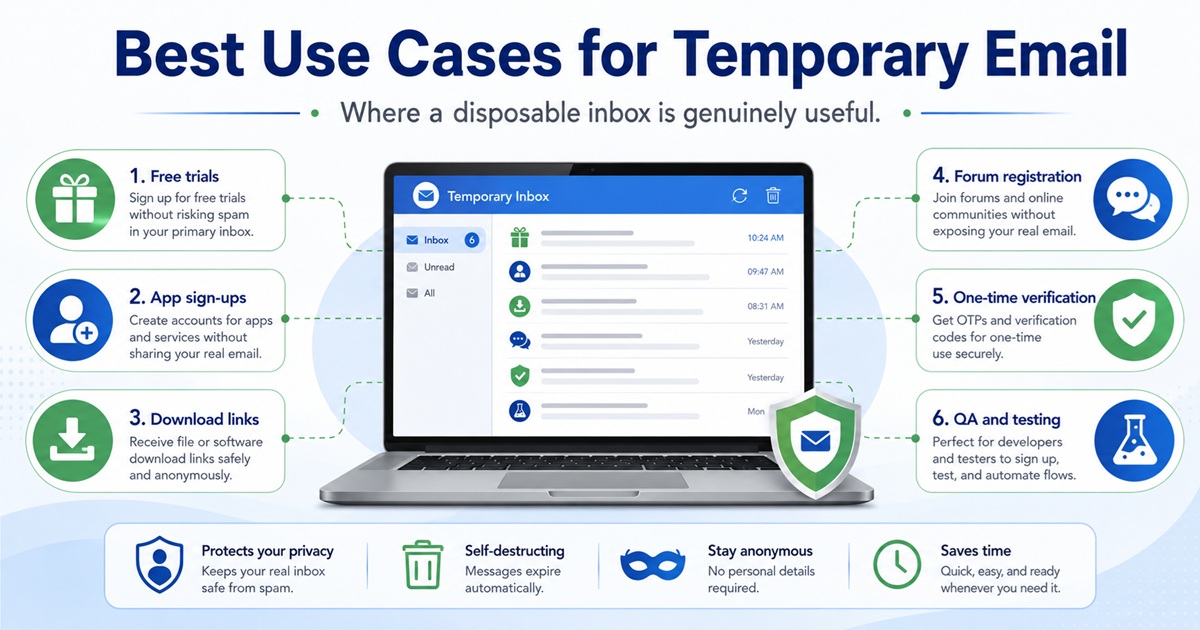
Good examples include:

  • downloading free resources
  • testing websites
  • joining temporary forums
  • receiving non-sensitive verification emails
  • evaluating software
  • testing registration systems
  • accessing one-time content
  • separating promotional activity

The important question is:

Would losing this email address create a serious problem?

If the answer is no, temporary email may be appropriate.

When Should You Avoid Temporary Email?

Temporary mail should not be used for accounts that require long-term ownership.

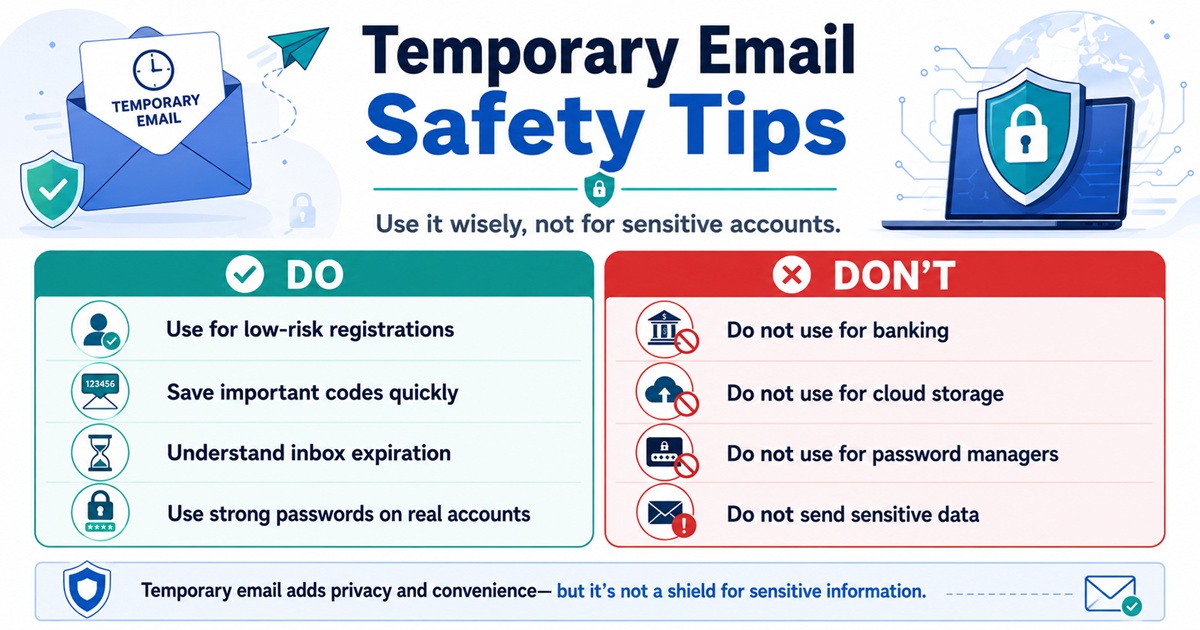
Avoid using disposable addresses for:

  • online banking
  • investment accounts
  • cryptocurrency exchanges
  • government accounts
  • healthcare systems
  • password managers
  • cloud storage
  • domain registrars
  • web hosting accounts
  • important business services

These accounts depend heavily on email-based recovery.

If your disposable inbox expires, you may permanently lose access.

description

Security Risks of Temporary Email

Temporary email has benefits, but it also introduces security limitations.

Public inboxes

Some providers make inboxes accessible to anyone who knows the address.

Never assume a temporary inbox is private unless the provider explicitly states otherwise.

Weak authentication

Some services do not require passwords.

That increases convenience but reduces confidentiality.

Short retention

Emails may disappear quickly.

Important information should never be stored there permanently.

No reliable account recovery

Once the inbox expires, recovery may be impossible.

Temporary email does not protect you from phishing or malicious attachments.

You should apply the same security practices you would use with any email.

Best Practices for Using Temporary Email Safely

Use temporary email according to its intended threat model.

Keep sensitive information out

Do not receive:

  • passwords
  • API keys
  • private documents
  • banking information
  • identity documents

Never reuse passwords

If a temporary email is used for account registration, do not reuse passwords from important accounts.

Treat emails inside disposable inboxes as potentially untrusted.

Understand inbox expiration

Assume the inbox can disappear at any time.

Use permanent email for valuable accounts

Account recovery is more important than convenience.

Frequently Asked Questions

Is temporary email safe?

Temporary email is generally suitable for low-risk activities, but it should not be trusted for sensitive or long-term accounts.

Can temporary email stop spam?

It can significantly reduce spam reaching your main inbox by isolating promotional registrations and one-time interactions.

Can websites detect temporary email?

Yes. Many websites use disposable-domain detection services to identify and block temporary email providers.

Does temporary email hide my IP address?

No. Email identity and network identity are separate. A website may still see your IP address and browser information.

Can I use temporary email for verification codes?

Often yes, although some websites block disposable domains.

Is temporary email useful for developers?

Yes. Temporary inboxes are particularly useful for testing registrations, verification emails, onboarding flows, and transactional messaging.

Can I recover an expired temporary email?

Usually not. Never rely on disposable email for accounts you may need to recover later.

Conclusion

A temporary email address is one of the simplest tools for improving everyday online privacy.

Its main value comes from reducing unnecessary exposure.

Instead of distributing one permanent identifier across hundreds of websites, temporary email allows you to isolate low-risk interactions.

The benefits include:

  1. reducing spam
  2. protecting your real email address
  3. reducing breach exposure
  4. limiting marketing tracking
  5. registering on low-risk websites
  6. receiving one-time verification messages
  7. separating free trials
  8. compartmentalizing online identities
  9. simplifying application testing
  10. reducing your long-term digital footprint

Temporary email is not a replacement for a secure permanent mailbox.

It is also not an anonymity system.

Instead, think of it as a lightweight privacy layer.

Use your primary email for accounts that require identity, trust, recovery, and long-term access.

Use temporary email where the interaction is disposable.

That simple separation can significantly improve the security and cleanliness of your online identity.