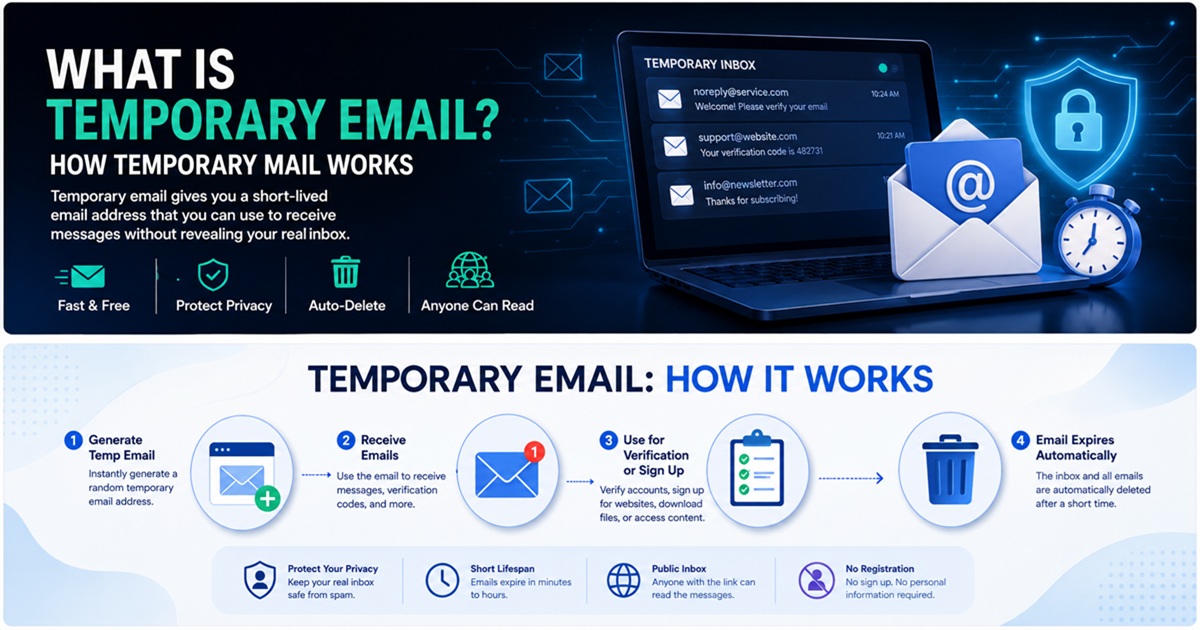
Временная электронная почта стала одним из самых простых инструментов для сокращения количества спама, ограничения ненужной утечки данных и отделения онлайн-деятельности с низким уровнем доверия от вашего основного почтового ящика.
На первый взгляд, принцип прост: создать временный адрес электронной почты, использовать его для получения сообщения и удалить, когда он больше не нужен.
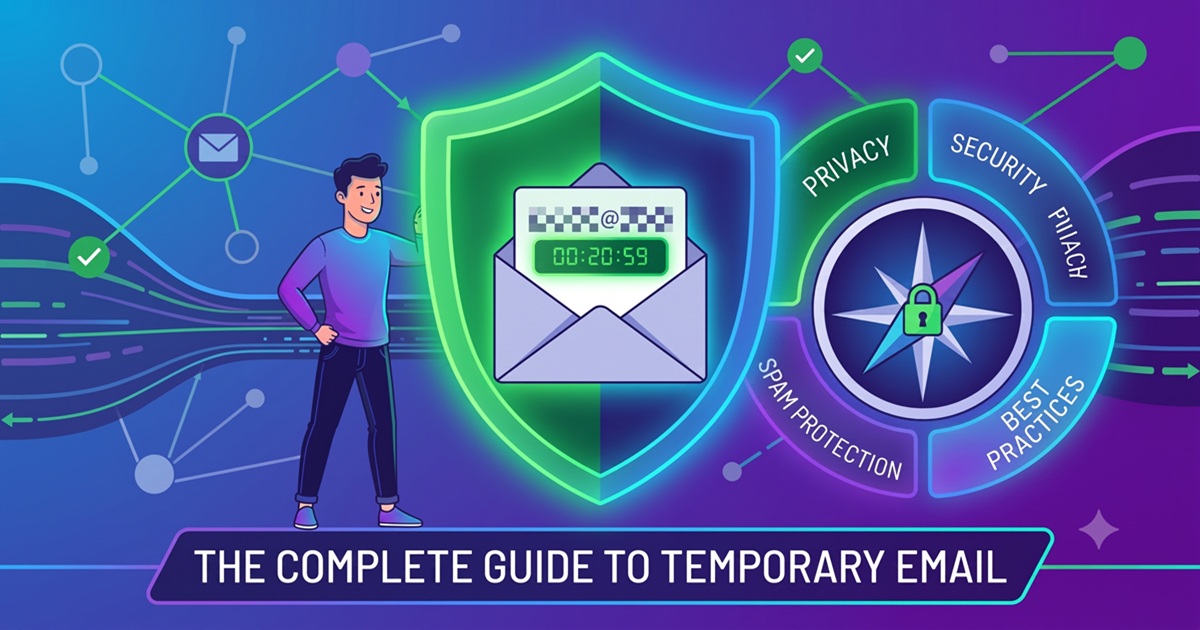
Однако с точки зрения кибербезопасности временная электронная почта представляет собой более интересный инструмент, чем кажется на первый взгляд.
Временный почтовый ящик может способствовать соблюдению нескольких важных принципов безопасности:
- минимизация данных
- разделение идентичностей
- уменьшение площади атаки
- изоляция спама
- сокращение повторного использования идентификаторов
В то же время у одноразовой электронной почты есть существенные ограничения. Её не следует рассматривать как безопасную замену постоянного почтового ящика, и её ни в коем случае нельзя использовать для учётных записей, где важны долгосрочное владение, восстановление доступа или конфиденциальность.
В этом руководстве объясняется, как работает временная электронная почта, от чего она защищает, от чего не защищает и как ей безопасно пользоваться.
Что такое временная электронная почта?
Временный адрес электронной почты — это адрес, предназначенный для краткосрочного использования.
В зависимости от провайдера он может оставаться активным в течение:
- несколько минут
- несколько часов
- несколько дней
- до тех пор, пока пользователь не удалит его вручную
Временная электронная почта также часто называется:
- временная почта
- одноразовая электронная почта
- одноразовый адрес электронной почты
- «одноразовый» адрес
- «разовый» адрес
- временный почтовый ящик
Основная цель — дать пользователям возможность получать электронные письма, не раскрывая постоянный личный адрес.
Например, вместо ввода:
[email protected]
на сайте, не представляющем большого значения, можно использовать:
[email protected]
Сайт отправляет своё сообщение с проверкой или подтверждением на временный почтовый ящик.
После завершения взаимодействия временный адрес можно удалить.
Как работает временная электронная почта
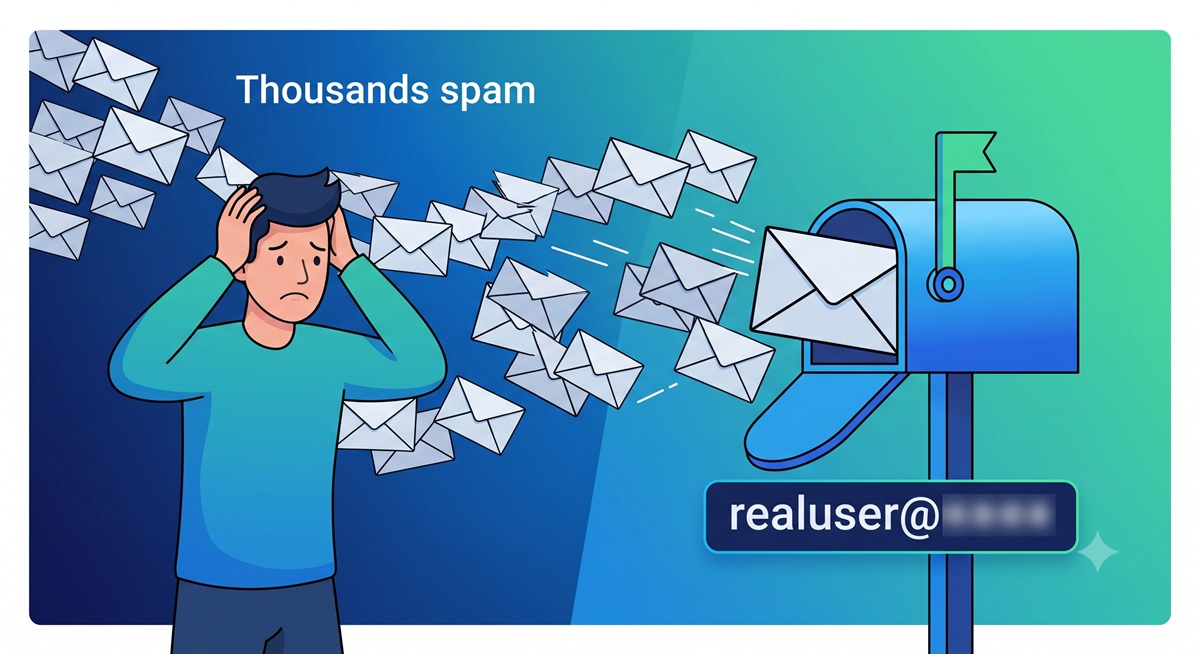
Временная электронная почта использует ту же базовую инфраструктуру Интернета, что и обычная электронная почта.
Разница заключается в основном в сроке действия учетной записи, аутентификации, хранении данных и том, как почтовый ящик представлен пользователю.
Упрощенный рабочий процесс выглядит следующим образом:
Сервис временной электронной почты
 ↓
Генерирует адрес
 ↓
Пользователь вводит адрес на веб-сайте
 ↓
Веб-сайт отправляет письмо
 ↓
Поиск MX-записи в DNS
 ↓
Доставка по SMTP
 ↓
Сервер временной почты
 ↓
Временный почтовый ящик
 ↓
Срок действия сообщения истекает или оно удаляется
Здесь задействованы несколько технологий.
DNS и записи MX
Когда отправитель пытается доставить электронное письмо, он должен определить, какой почтовый сервер отвечает за домен получателя.
Для этого используется DNS.
В частности, отправляющий сервер запрашивает записи MX домена.
MX означает Mail Exchange.
Запись MX указывает, какие почтовые серверы могут принимать сообщения для данного домена.
В случае временного почтового сервиса провайдер настраивает записи MX для своих одноразовых доменов таким образом, чтобы входящие письма доставлялись в его собственную инфраструктуру.
Концептуально:
[email protected]
 ↓
Поиск в DNS
 ↓
Запись MX
 ↓
mail.temp-domain.example
Как только сервер назначения определён, отправитель пытается доставить сообщение.
SMTP и доставка сообщений
SMTP — это аббревиатура от Simple Mail Transfer Protocol (простой протокол передачи почты).
Это стандартный протокол, используемый для передачи электронной почты между почтовыми серверами.
Типичный процесс проверки может выглядеть следующим образом:
Веб-сайт
   ↓
Бэкэнд приложения
   ↓
Провайдер исходящей почты
   ↓
SMTP
   ↓
Сервер временной почты
   ↓
Временный почтовый ящик
Затем система временной почты связывает сообщение с сгенерированным почтовым ящиком и делает его доступным через веб-интерфейс или API.
Чем временная электронная почта отличается от обычной учетной записи электронной почты
Традиционная учетная запись электронной почты создана для долгосрочного использования.
Временный почтовый ящик создан для одноразового использования.
| Характеристика | Временная электронная почта | Традиционная электронная почта |
|---|---|---|
| Долгосрочное владение | Обычно нет | Да |
| Регистрация учетной записи | Часто не требуется | Обычно требуется |
| Защита паролем | Не всегда | Обычно да |
| Возможности восстановления | Ограничены или отсутствуют | Обычно доступны |
| Долгосрочное хранение | Нет | Да |
| Подходит для важных аккаунтов | Нет | Да |
| Подходит для разовой регистрации | Да | Возможно |
| Изоляция спама | Отлично | Требует фильтрации |
Временную электронную почту следует рассматривать как специализированный инструмент для обеспечения конфиденциальности, а не как замену Gmail, Outlook, Proton Mail или другого постоянного почтового ящика.
Почему люди используют временную электронную почту
Главная причина проста:
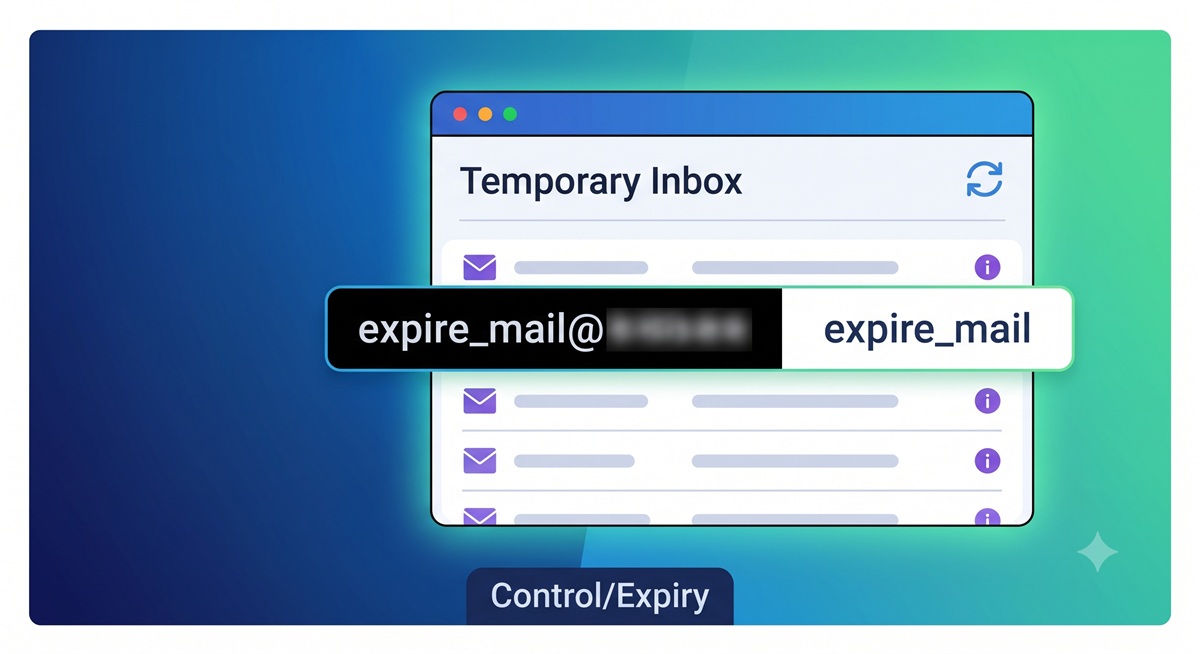
Пользователи не хотят раскрывать свой постоянный адрес электронной почты каждому сайту, который они посещают.
Каждый раз, когда основной адрес электронной почты предоставляется какому-либо сервису, его копия может где-то сохраняться.
Этот адрес потенциально может попасть в:
- базы данных клиентов
- CRM-платформы
- системы рассылки новостей
- инструменты автоматизации маркетинга
- аналитические платформы
- рекламные системы
- резервные копии
- сторонние интеграции
Чем больше систем содержит ваш адрес, тем больше становится ваша уязвимость в цифровом пространстве.
Временная электронная почта ограничивает эту уязвимость.
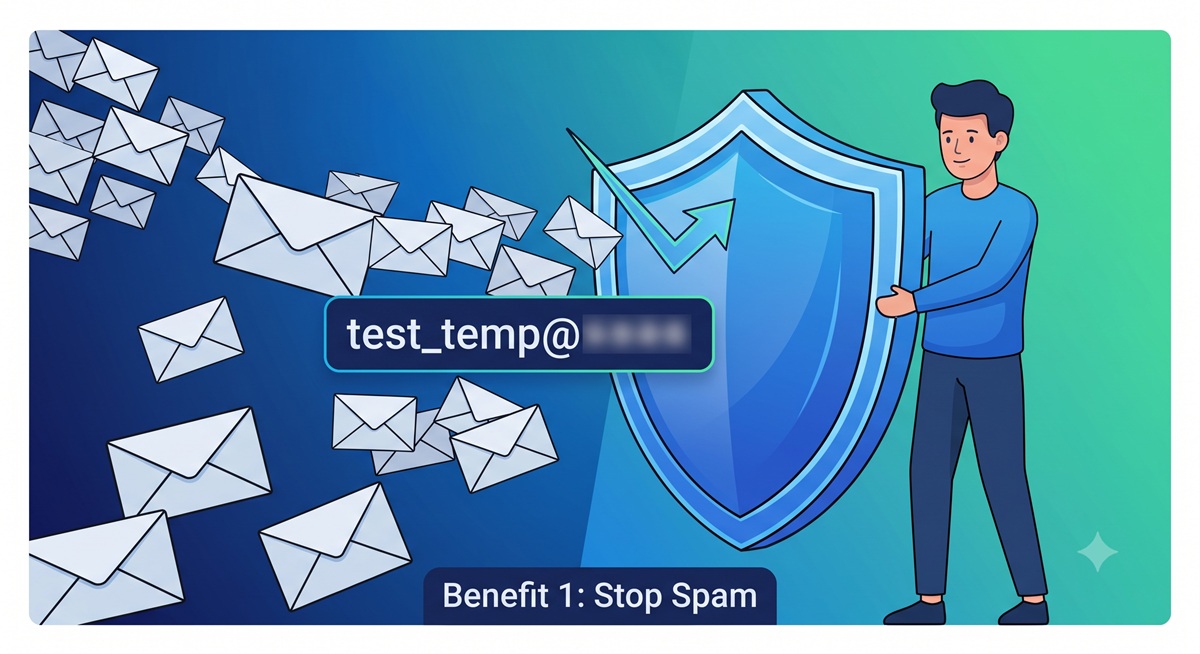
1. Сокращение количества спама
Одним из наиболее распространённых способов использования временной электронной почты является защита от спама.
Веб-сайты часто запрашивают адрес электронной почты, прежде чем предоставить доступ к:
- загрузкам
- купонам
- бесплатным пробным версиям
- отчётам
- закрытому контенту
- форумам
- информационным рассылкам
- демонстрациям продуктов
Как только ваш постоянный адрес попадает в маркетинговую систему, сообщения могут приходить в течение месяцев.
Одноразовый адрес изолирует это взаимодействие.
Вместо того чтобы позже пытаться очистить почту от нежелательных писем, вы с самого начала избегаете раскрытия своего основного почтового ящика.
2. Защита вашего основного адреса электронной почты
Ваш основной адрес электронной почты — ценный идентификатор.
Он часто связан со следующими ресурсами:
- финансовыми счетами
- облачными хранилищами
- сбросом паролей
- социальными сетями
- интернет-магазинами
- рабочими платформами
- личными документами
Злоумышленники могут использовать известный адрес электронной почты в качестве отправной точки для:
- фишинга
- атаки методом «credential stuffing»
- перебора учетных записей
- злоупотребления функцией сброса пароля
- социальной инженерии
Использование временного адреса для взаимодействий с низким уровнем доверия позволяет ограничить масштабы распространения вашего основного адреса электронной почты.
Это простая форма сокращения поверхности атаки.
3. Ограничение уязвимости при утечках данных
Даже легитимные компании могут подвергаться взломам.
Когда база данных приложения подвергается взлому, утечка информации может включать:
Адрес электронной почты
Имена пользователей
Хэши паролей
IP-адреса
Номера телефонов
Метаданные учетной записи
Если вы использовали одноразовый адрес электронной почты для этой учетной записи, утечённый идентификатор, возможно, уже неактивен.
Ваш основной адрес остаётся в безопасности.
Это не делает утечку безобидной, но может снизить долгосрочную полезность утечённых данных.
4. Сокращение повторного использования идентификаторов
Постоянный адрес электронной почты может использоваться для сопоставления действий на разных веб-сайтах.
Например:
Веб-сайт A ─┐
Веб-сайт B ─┼── [email protected]
Веб-сайт C ─┤
Веб-сайт D ─┘
Если один и тот же адрес электронной почты встречается на многих платформах, он становится стабильным идентификатором.
Одноразовые адреса затрудняют такую сопоставление, основанное исключительно на электронной почте.
Это особенно полезно для пользователей, заботящихся о конфиденциальности, которые хотят отделить малозначимую онлайн-активность от важных цифровых идентичностей.
5. Получение одноразовых сообщений для подтверждения
Временная электронная почта особенно полезна, когда веб-сайту нужно лишь подтвердить, что почтовый ящик может принимать письма.
Типичный алгоритм действий:
Создать временный адрес электронной почты
 ↓
Ввести его при регистрации
 ↓
Получить сообщение для подтверждения
 ↓
Открыть ссылку или скопировать код
 ↓
Завершить регистрацию
Для кратковременного взаимодействия создание или раскрытие постоянного адреса электронной почты может быть ненужным.
Однако некоторые веб-сайты намеренно блокируют домены одноразовой электронной почты.
Они могут делать это, чтобы сократить:
- создание фальшивых аккаунтов
- злоупотреблений бесплатными пробными версиями
- спама
- автоматической регистрации
- мошенничества
Пользователи должны всегда соблюдать правила веб-сайта, на который они заходят.
Временная электронная почта и конфиденциальность в Интернете
Временная электронная почта повышает уровень конфиденциальности, скрывая один важный идентификатор: ваш постоянный адрес электронной почты.
Но важно понимать, что это означает с технической точки зрения.
Временная электронная почта может скрыть:
- адрес вашего основного почтового ящика
- один постоянный идентификатор личности
- будущие маркетинговые сообщения, отправляемые на ваш основной почтовый ящик
Она не скрывает автоматически:
- ваш IP-адрес
- файлы cookie браузера
- характеристики устройства
- отпечаток браузера
- пользовательский агент
- время отправки запроса
- поведение учетной записи
Таким образом, временная электронная почта — это инструмент для обеспечения конфиденциальности, а не система полной анонимности.
Обеспечивает ли временный адрес электронной почты анонимность?
Нет.
Это одно из самых распространённых заблуждений.
Веб-сайт по-прежнему может отслеживать ваше сетевое соединение.
Например:
IP-адрес
+
Отпечаток браузера
+
Файлы cookie
+
Информация об устройстве
+
Временная электронная почта
Даже если веб-сайт не знает адрес вашего постоянного почтового ящика, эти другие сигналы всё равно могут идентифицировать вас или сопоставить вашу активность.
Настоящая анонимность предполагает гораздо более широкую модель угроз.
Временный адрес электронной почты удаляет из взаимодействия лишь один постоянный идентификатор.
Временный адрес электронной почты и минимизация данных
Минимизация данных — один из основных принципов конфиденциальности.
Идея проста:
Предоставляйте только ту информацию, которая необходима для конкретной цели.
Если веб-сайту нужно отправить всего одно подтверждающее сообщение, постоянный идентификатор не всегда может быть необходим.
Использование одноразового адреса сокращает объём долгосрочной информации, которую вы предоставляете.
Вместо:
Постоянный адрес электронной почты
 ↓
Хранится бессрочно
 ↓
Маркетинговые системы
 ↓
Сторонние системы
 ↓
Возможная утечка данных в будущем
вы можете получить:
Временный адрес электронной почты
 ↓
Краткосрочное взаимодействие
 ↓
Срок действия адреса истекает
Вторая модель снижает риск длительного хранения данных.
Безопасна ли временная электронная почта?
Временная электронная почта может быть безопасной для действий с низким уровнем риска.
Однако безопасность в значительной степени зависит от провайдера.
Не все системы временной почты используют одну и ту же модель безопасности.
Некоторые сервисы могут предоставлять:
- личные почтовые ящики, привязанные к сеансу
- надежные рандомизированные адреса
- зашифрованные соединения
- ограниченный срок хранения
Другие могут использовать:
- общедоступные почтовые ящики
- предсказуемые адреса
- отсутствие аутентификации
- слабые средства защиты конфиденциальности
Прежде чем воспользоваться услугами провайдера временной электронной почты, убедитесь, что почтовый ящик действительно является частным.
Риск, связанный с общедоступными почтовыми ящиками
Некоторые провайдеры одноразовой почты позволяют любому, кто знает имя почтового ящика, просматривать сообщения.
Например, если адрес выглядит так:
[email protected]
то другой человек может вручную открыть этот почтовый ящик.
Это создаёт серьёзный риск для конфиденциальности.
Никогда не используйте общедоступный временный почтовый ящик для получения:
- паролей
- ключей API
- финансовой информации
- конфиденциальных документов
- чувствительных токенов аутентификации
- личных данных, удостоверяющих личность
Риск истечения срока действия почтового ящика
Временные адреса электронной почты могут исчезнуть.
В этом и заключается их назначение.
Однако истечение срока действия создаёт серьёзную проблему при восстановлении учётной записи.
Предположим, вы создали учётную запись, используя одноразовый адрес.
Через шесть месяцев вы забыли пароль.
Сервис отправляет письмо для восстановления на адрес:
[email protected]
Если почтовый ящик больше не существует, вы можете навсегда потерять доступ к учётной записи.
По этой причине временную электронную почту никогда не следует использовать для учетных записей, которые вам может понадобиться восстановить позже.
Когда следует использовать временную электронную почту
Временная электронная почта подходит для взаимодействий с низким уровнем риска и краткосрочного характера.
Примеры целесообразного использования:
- загрузка бесплатного документа
- тестирование демо-версии программного обеспечения
- регистрация на временном форуме
- получение одноразового письма для подтверждения
- доступ к контенту с ограниченным доступом
- тестирование приложения
- тестирование транзакционных писем
- отделение регистраций для получения рекламных рассылок
Полезно задать себе вопрос:
Приведёт ли потеря доступа к этому адресу электронной почты к серьёзным проблемам?
Если ответ «нет», временный адрес электронной почты может быть уместным.
Когда не следует использовать временный адрес электронной почты
Избегайте использования одноразовых адресов для важных учетных записей.
К примерам относятся:
- онлайн-банкинг
- инвестиционные платформы
- криптовалютные биржи
- менеджеры паролей
- государственные услуги
- порталы здравоохранения
- критически важные для бизнеса приложения
- регистраторы доменов
- провайдеры веб-хостинга
- облачное хранилище
- важные аккаунты в социальных сетях
Эти системы в значительной степени полагаются на электронную почту для:
- сброса паролей
- уведомлений о безопасности
- подтверждения входа
- восстановления учетной записи
Вместо этого используйте постоянный, защищенный адрес электронной почты.
Временная электронная почта для разработчиков и команд контроля качества
Временная электронная почта особенно полезна в сфере разработки программного обеспечения.
Приложения часто включают рабочие процессы, основанные на электронной почте, такие как:
- регистрация
- подтверждение
- адаптация новых пользователей
- сброс паролей
- оповещения по учетной записи
- уведомления
Инженеру по контролю качества может потребоваться несколько учетных записей:
Тестовый пользователь 1 → регистрация
Тестовый пользователь 2 → сброс пароля
Тестовый пользователь 3 → подтверждение
Тестовый пользователь 4 → адаптация
Тестовый пользователь 5 → тестирование уведомлений
Создание постоянных почтовых ящиков для каждого тестового случая неэффективно.
Временная почта может значительно ускорить эти рабочие процессы.

API для временной почты
Некоторые провайдеры предоставляют доступ к временной почте через API.
Это позволяет разработчикам автоматизировать такие рабочие процессы, как:
Создать одноразовый почтовый ящик
 ↓
Зарегистрировать тестовую учетную запись
 ↓
Опросить почтовый ящик
 ↓
Извлечь код подтверждения
 ↓
Завершить автоматизированное тестирование
Это может быть полезно для:
- автоматизированного контроля качества
- интеграционного тестирования
- промежуточных сред
- конвейеров CI/CD
- проверки транзакционных писем
Службы безопасности должны обеспечить, чтобы производственные секреты или конфиденциальная информация о клиентах никогда не попадали в одноразовые тестовые почтовые ящики.
Временная почта и псевдонимы электронной почты
Псевдонимы электронной почты часто путают с временной электронной почтой.
Они решают разные задачи.
Временная электронная почта
Лучше всего подходит для краткосрочного взаимодействия.
[email protected]
 ↓
Одноразовый почтовый ящик
 ↓
Истекает
Псевдоним электронной почты
Лучше всего подходит для долгосрочной конфиденциальности.
[email protected]
 ↓
Служба переадресации
 ↓
[email protected]
Псевдоним позволяет скрыть ваш настоящий адрес, сохранив при этом долгосрочный доступ.
Для сервисов, которые могут понадобиться вам позже, псевдоним обычно является лучшим вариантом, чем одноразовая почта.
Временный адрес электронной почты vs Вторичный почтовый аккаунт
Ещё одна стратегия — использовать дополнительный постоянный адрес электронной почты.
Например:
Основной адрес электронной почты
    → банковские операции
    → бизнес
    → важные учетные записи

Вторичный адрес электронной почты
    → покупки
    → информационные рассылки
    → сообщества

Временный адрес электронной почты
    → разовые загрузки
    → тестирование
    → малонадежные сайты
Эта трёхуровневая структура обеспечивает отличную сегментацию.
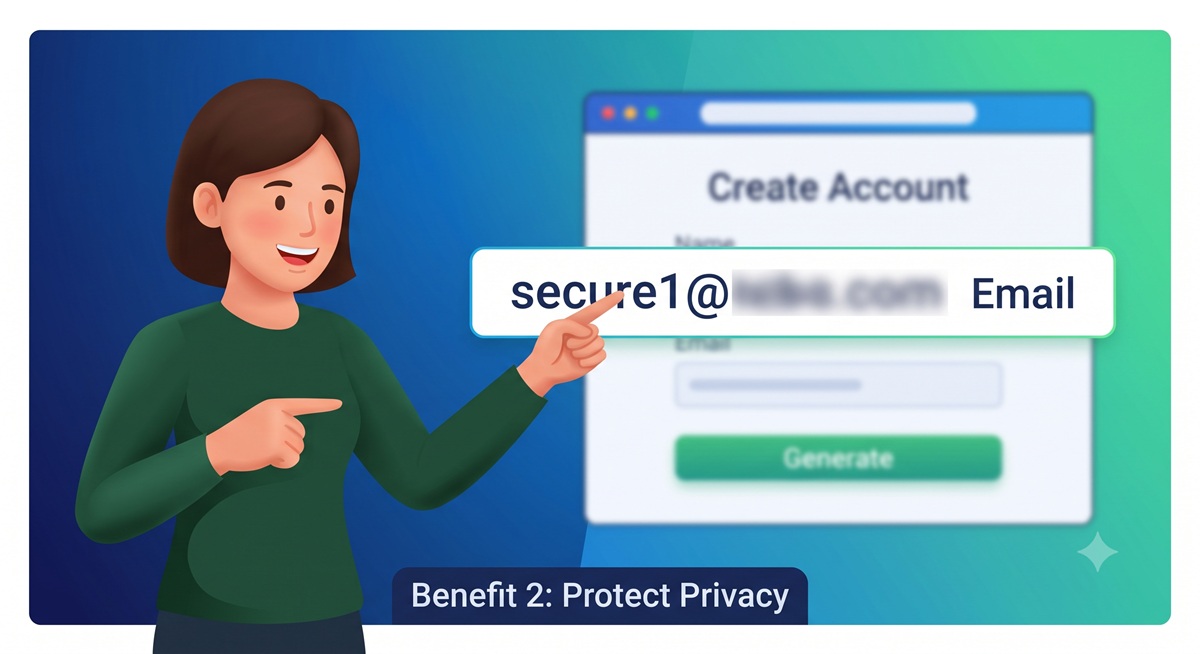
Временная электронная почта и фишинг
Временная электронная почта может снизить вашу уязвимость перед некоторыми фишинговыми кампаниями.
Если маркетологи, взломанные сайты или посредники по продаже данных никогда не получат ваш настоящий адрес электронной почты, у злоумышленников может быть меньше возможностей для атак на ваш основной почтовый ящик.
Однако временная почта не предотвращает фишинг.
Злоумышленники по-прежнему могут отправлять вредоносные письма непосредственно на временный почтовый ящик.
Пользователи по-прежнему должны проверять:
- личность отправителя
- URL-адреса назначения
- вложения
- страницы входа в систему
- запросы на подтверждение
Временная электронная почта снижает уязвимость.
Она не избавляет от необходимости соблюдать меры безопасности.
Временная электронная почта и вредоносное ПО
Временная почта не сканирует и не нейтрализует вредоносные файлы автоматически.
Сообщение по-прежнему может содержать:
- вредоносные вложения
- фишинговые ссылки
- поддельные страницы входа в систему
- ссылки для загрузки вредоносного ПО
Никогда не считайте письмо безопасным только потому, что оно поступило в одноразовый почтовый ящик.
Действуют те же правила:
- избегайте неизвестных вложений
- проверяйте URL-адреса перед переходом
- не запускайте подозрительные файлы
- никогда не вводите пароли на ненадежных страницах
Рекомендации по безопасному использованию временной электронной почты
1. Используйте её только для действий с низким уровнем риска
Одноразовая электронная почта идеально подходит для краткосрочных учётных записей и разовых взаимодействий.
Не используйте её в случаях, когда важно долгосрочное владение учётной записью.
2. Никогда не храните конфиденциальную информацию
Избегайте отправки или получения:
- учетных данных
- личных документов
- финансовых данных
- кодов восстановления
- ключей API
3. Считайте, что почтовый ящик может исчезнуть
Сразу же сохраняйте всю необходимую информацию, не относящуюся к конфиденциальной.
4. Никогда не используйте важные пароли повторно
Если вы создаете одноразовую учетную запись, никогда не используйте повторно пароли от:
- банковских счетов
- работы
- облачных сервисов
- основной электронной почты
Повторное использование паролей создаёт ненужный риск.
5. Проверяйте, является ли почтовый ящик общедоступным
Узнайте, как ваш провайдер временной почты защищает доступ.
6. Используйте HTTPS
Всегда подключайтесь к сервисам временной почты через HTTPS.
Это защищает трафик между вашим браузером и поставщиком от пассивного перехвата в сети.
7. Будьте осторожны со ссылками для подтверждения
Письма с подтверждением всё равно могут быть вредоносными.
Перед тем как нажать, проверьте домен назначения.
8. Разделяйте важные и одноразовые учётные записи
Полезная модель выглядит так:
ВЫСОКИЙ УРОВЕНЬ ДОВЕРИЯ
Основной адрес электронной почты
 ↓
Банковские операции / бизнес / восстановление доступа

СРЕДНИЙ УРОВЕНЬ ДОВЕРИЯ
Вторичный адрес электронной почты или псевдонимы
 ↓
Покупки / подписки

НИЗКИЙ УРОВЕНЬ ДОВЕРИЯ
Временная электронная почта
 ↓
Пробные версии / загрузки / тестирование
Это позволяет четко разграничить идентичности.
Как выбрать провайдера временной электронной почты
Не все сервисы временной почты одинаковы.
Обратите внимание на несколько характеристик.
Поддержка HTTPS
Веб-сайт должен использовать протокол HTTPS.
Чёткая политика хранения данных
Вам следует понимать:
- как долго существуют почтовые ящики
- как долго хранятся сообщения
- сохраняются ли удалённые данные
Конфиденциальный дизайн почтового ящика
Избегайте сервисов, где адреса почтовых ящиков легко угадать или найти через открытый поиск.
Минимальный сбор данных
Провайдер, ориентированный на конфиденциальность, должен избегать сбора ненужной личной информации.
Несколько доменов
Наличие нескольких почтовых доменов может повысить надёжность в случае, если сайты блокируют широко известные одноразовые домены.
Быстрая доставка писем
Сообщения для подтверждения должны появляться быстро.
Простые элементы управления почтовым ящиком
Полезные функции включают:
- обновление
- копирование адреса
- удаление почтового ящика
- изменение адреса
- автоматическое истечение срока действия
Почему некоторые веб-сайты блокируют временную электронную почту
Одноразовая электронная почта полезна для обеспечения конфиденциальности, но иногда ею злоупотребляют.
Веб-сайты могут блокировать одноразовые домены, чтобы сократить количество:
- фальшивых регистраций
- автоматизированных ботов
- злоупотреблений бесплатными пробными версиями
- спама
- мошеннические учётные записи
- злоупотребление реферальными ссылками
Некоторые организации ведут обширные базы данных известных доменов одноразовой почты.
Во время регистрации веб-сайт может проверять указанный домен.
Схема работы:
Пользователь указывает адрес электронной почты
 ↓
Извлечение домена
 ↓
Проверка базы данных одноразовых доменов
 ↓
Разрешение или отказ в регистрации
Блокировка одноразовой электронной почты — это решение, принимаемое оператором веб-сайта из соображений бизнеса и безопасности.
Можно ли отследить временную электронную почту?
Временная электронная почта не делает деятельность неотслеживаемой.
В зависимости от провайдера и веб-сайта в журналах всё равно могут содержаться:
- IP-адреса
- временные метки
- данные браузера
- журналы запросов сервера
- идентификаторы сеансов
Временный адрес электронной почты лишь меняет используемую идентификацию электронной почты.
Его ни в коем случае не следует рассматривать как средство для сокрытия незаконной деятельности.
Защищает ли временный адрес электронной почты от брокеров данных?
Он может уменьшить объём полезной информации, доступной брокерам данных.
Если ваш основной адрес электронной почты никогда не указывается на веб-сайте, данный сервис не сможет напрямую добавить этот адрес в ваш профиль пользователя.
Однако другие идентификаторы всё равно могут собираться.
Например:
- номер телефона
- IP-адрес
- файлы cookie
- отпечаток браузера
- платежная информация
Временный адрес электронной почты сокращает количество точек сбора данных на одну.
Обеспечение конфиденциальности требует многоуровневого подхода.
Практическая стратегия обеспечения конфиденциальности электронной почты
Для большинства пользователей лучший подход — не использовать временную почту повсеместно.
Вместо этого создайте разные уровни доверия.
Уровень 1 — Основной адрес электронной почты
Используйте для:
- банковских операций
- восстановления паролей
- работы
- важных учётных записей в облачных сервисах
Уровень 2 — Вторичный адрес электронной почты или псевдоним
Используйте для:
- покупок
- рассылок
- членства в сообществах
- долгосрочных онлайн-сервисов
Уровень 3 — Временный адрес электронной почты
Используйте для:
- пробных версий
- загрузок
- тестирования
- одноразовой верификации
- сайтов с низким уровнем доверия
Эта модель обеспечивает тщательное разделение без ущерба для удобства использования.
Часто задаваемые вопросы
Что такое временная электронная почта?
Временный адрес электронной почты — это одноразовый адрес, созданный для краткосрочного использования. Он позволяет пользователям получать сообщения, не раскрывая свой основной адрес электронной почты.
Является ли временный адрес электронной почты бесплатным?
Многие сервисы временной почты являются бесплатными. Некоторые провайдеры взимают плату за дополнительные функции, такие как собственные домены, более длительное хранение писем или доступ к API.
Безопасна ли временная электронная почта?
Она может быть безопасной для действий с низким уровнем риска, но уровень безопасности варьируется в зависимости от провайдера. Избегайте использования временных почтовых ящиков для конфиденциальной информации.
Можно ли получать коды подтверждения?
Обычно да, хотя некоторые сайты блокируют известные домены одноразовой почты.
Скрывает ли временная почта мой IP-адрес?
Нет. Временная почта скрывает ваш основной адрес электронной почты, но не вашу сетевую идентичность.
Можно ли восстановить почтовый ящик с истекшим сроком действия?
Обычно нет.
Стоит ли использовать временную электронную почту для банковских операций?
Нет. Для финансовых операций используйте постоянный защищённый почтовый аккаунт.
Могут ли разработчики использовать временную электронную почту?
Да. Это особенно полезно для тестирования приложений, контроля качества, тестирования транзакционных писем и автоматизированных процессов регистрации.
Является ли временная электронная почта тем же, что и псевдоним?
Нет. Срок действия временных почтовых ящиков истекает. Псевдонимы электронной почты обычно перенаправляют письма на постоянный почтовый ящик и могут оставаться активными в течение длительного времени.
Может ли временная электронная почта остановить спам?
Она может значительно сократить количество спама, поступающего в ваш основной почтовый ящик, за счёт изоляции малозначимых и рекламных регистраций.
Заключительные мысли
Временная электронная почта — это простой, но мощный инструмент для защиты конфиденциальности при правильном использовании.
Её главная ценность заключается в снижении ненужной уязвимости.
Вместо того чтобы использовать один постоянный адрес электронной почты на сотнях веб-сайтов, одноразовый адрес позволяет изолировать краткосрочные взаимодействия.
При правильном использовании временный адрес электронной почты может помочь:
- уменьшить количество спама
- защитить ваш основной почтовый ящик
- свести к минимуму повторное использование идентификаторов
- ограничить риск утечки данных
- разделить онлайн-идентичности
- улучшить тестирование приложений
- уменьшить ваш долгосрочный цифровой след
Однако у временной электронной почты есть свои ограничения.
Её не следует использовать для уязвимых учётных записей, долгосрочного восстановления доступа, финансовых услуг, облачного хранилища или всего того, что вы не можете себе позволить потерять.
Лучшая модель безопасности — не заменять свой основной адрес электронной почты.
Лучше создавать несколько уровней защиты:
Основной адрес электронной почты
 ↓
Надёжные и критически важные сервисы

Псевдонимы / дополнительные адреса электронной почты
 ↓
Долгосрочные, но менее рискованные сервисы

Временная электронная почта
 ↓
Одноразовые взаимодействия с низким уровнем доверия
Такой подход сочетает в себе конфиденциальность, удобство и практические принципы кибербезопасности.
Временная электронная почта работает лучше всего, когда вы относитесь к ней именно так, как подсказывает её название:
временно.